TL;DR: I built a tool to make it easier to run your favorite coding agent in a container without a lot of setup. It's called packnplay. You can find it on GitHub
A couple months back, the folks at StrongDM open sourced Leash, a tool for Docker and macOS that gives you really granular hooks to control your coding agents. You can allow and deny individual network connections and syscalls. On the frontend, there's a slick webui that gives you a realtime view of what your agents are doing and the ability to toggle access to resources on the fly. The whole thing is built around Amazon Cedar.
On the backend, they've done some really impressive work to instrument Docker to make this possible. But that's not half as cool as what they've done for the macOS native version of the sandbox. Since they're an enterprise security company, they managed to talk Apple into giving them the entitlement to build a system extension that provides a syscall and network filter. Think Little Snitch, but with filesystem and syscall control, too. And then they built a wrapper that runs your coding agent with that magic enabled, giving you access to the same dashboards as the Docker implementation.
After spending a little bit of time with Leash, I was a convert to the idea of running my agents in containers.
Leash is built to support enterprises running huge swarms of agents who need very fine-grained access control. I usually have a dozen at most. In a lot of ways, it's overkill for what I need.
What I wanted was simpler: spin up a dev container preconfigured for a coding agent, with the right credentials and source code mounted, and let the agent run in --dangerously-skip-permissions mode without worrying about it escaping.
So I built packnplay, a wrapper around Docker/Orbstack/etc that gives you an easy way to spin up a relatively safe, ephemeral container to let your agent go wild.
packnplay run claude --dangerously-skip-permissions is all it takes to set up a new container.
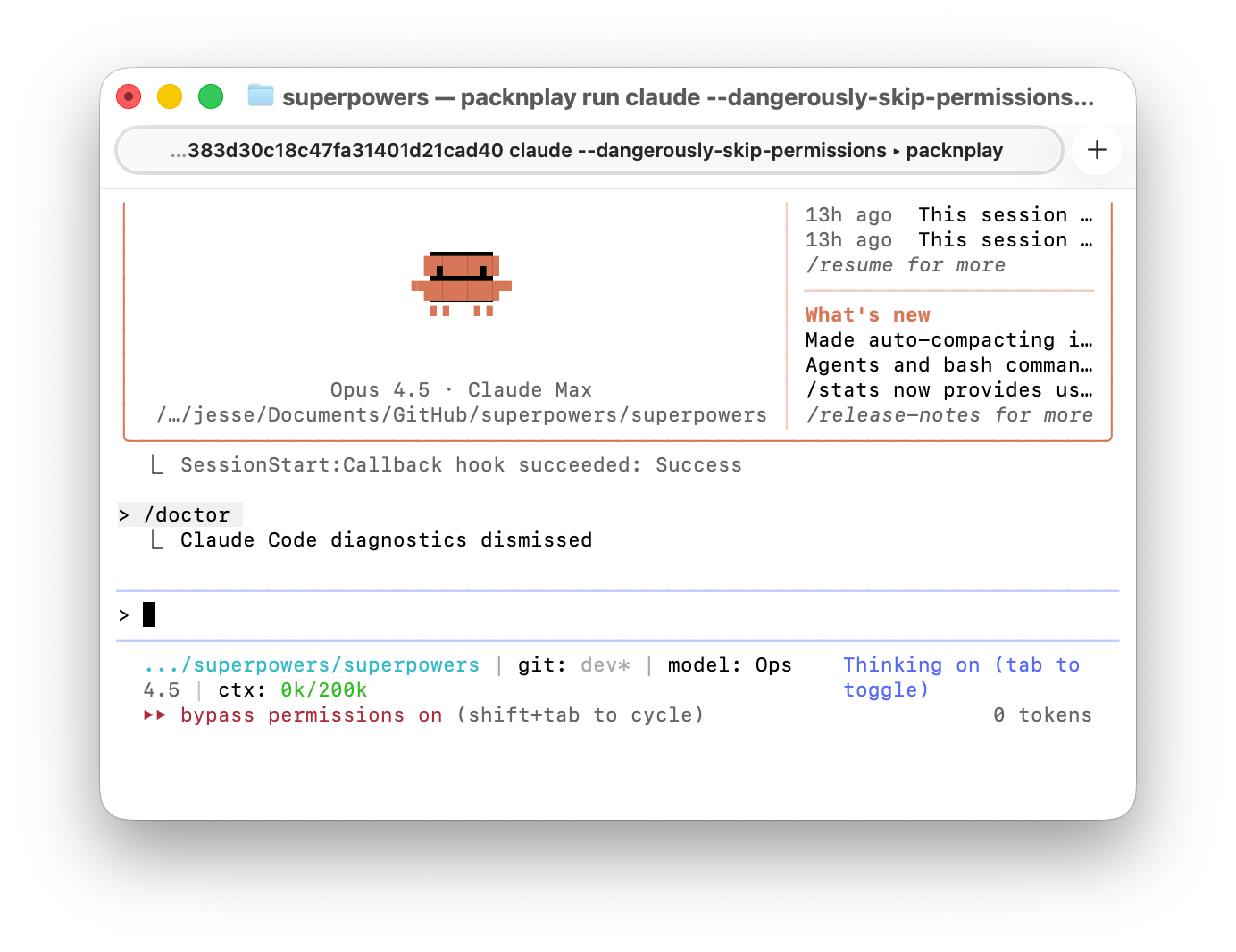
Your project's source mounts at the same path you'd see it outside the container. So if I'm working on Superpowers at /Users/jesse/git/superpowers/, that's exactly where the directory will be mounted inside the container.
To get another session in the same container, just run something like this from the directory where you launched packnplay:
packnplay run --reconnect bash
Containers don't automatically shut down when your agent session disconnects, so it's possible to restart to pick up config changes, etc.
The default container and settings runtime support a whole bunch of coding agents today: claude, gemini-cli, codex, copilot, qwen-code, amp, opencode.
By far, the most complicated part of all of this was figuring out how to make sure that Claude Code doesn't log you out and that your Claude Code settings don't get corrupted when you're running agents both inside and outside the container. (The very, very short version is that ~/.claude.json is constantly rewritten by Claude Code and their file locking doesn't work across container boundaries, so we give your containers a standalone .claude.json. Similarly, if you reuse the same Claude Code subscription token across two different operating systems, it appears that Anthropic's anti-fraud systems kick in and expire the token. So packnplay maintains its own Claude Code subscription token for use in your containers.)
The default container comes prepopulated with common tooling for typescript, go, python, rust, etc.
Corey Quinn contributed AWS tooling and configurable AWS credential management. If you're building with AWS, things should just work. There's basic configuration for GCP, as well.
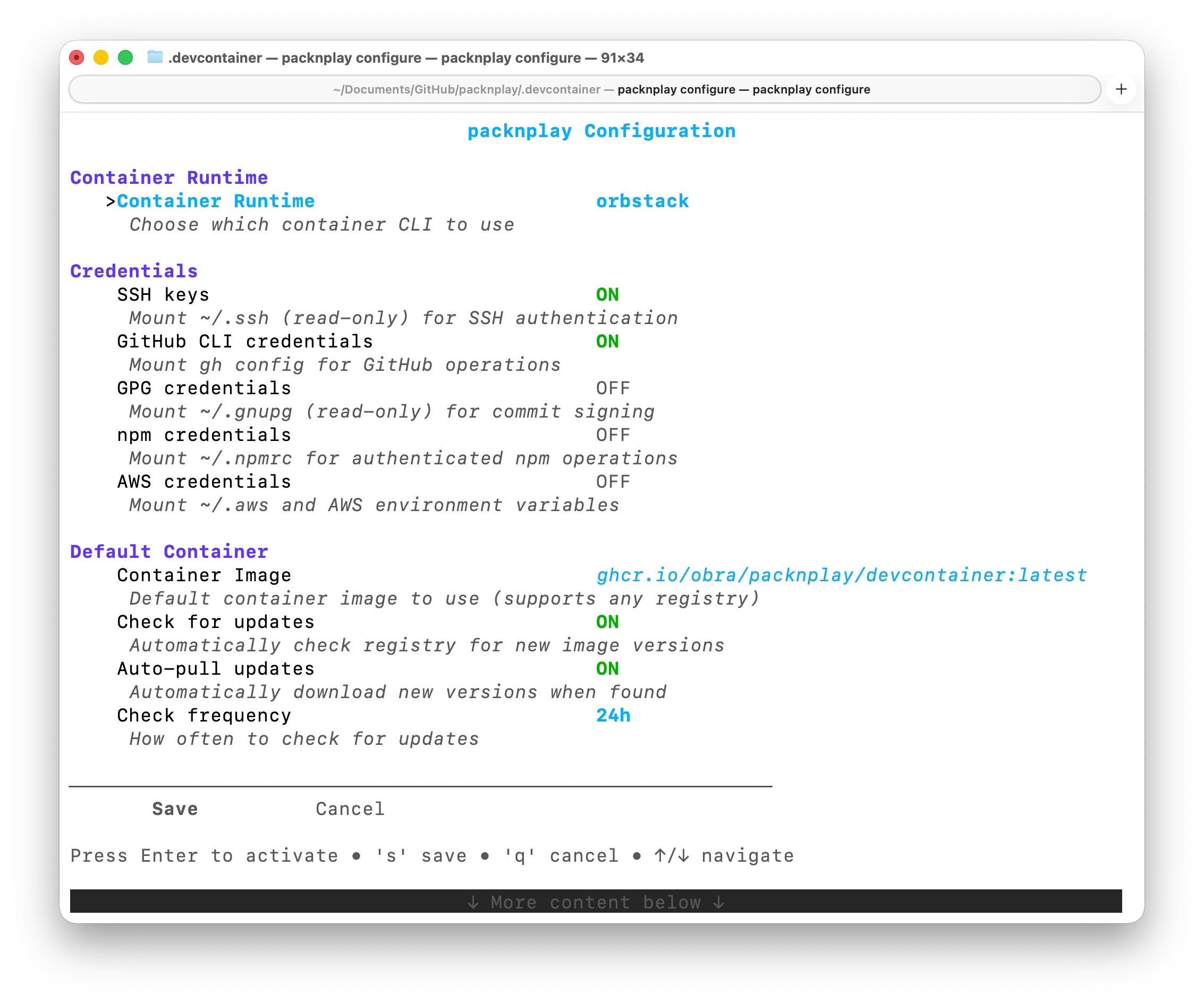
You can configure packnplay to proxy your Git and GitHub credentials into containers.
And, if the default container doesn't float your boat, you can use a standard devcontainer config. packnplay will transparently pick up the .devcontainer config from your project's repo and use that in preference to our default container.
With automatic worktree support, custom environment variable 'bundles', and port forwarding, packnplay ought to be able to match your existing workflows.
Give your agents a safe place to do their thing with packnplay. If packnplay doesn't yet support your favorite agent, I'd love a PR.